
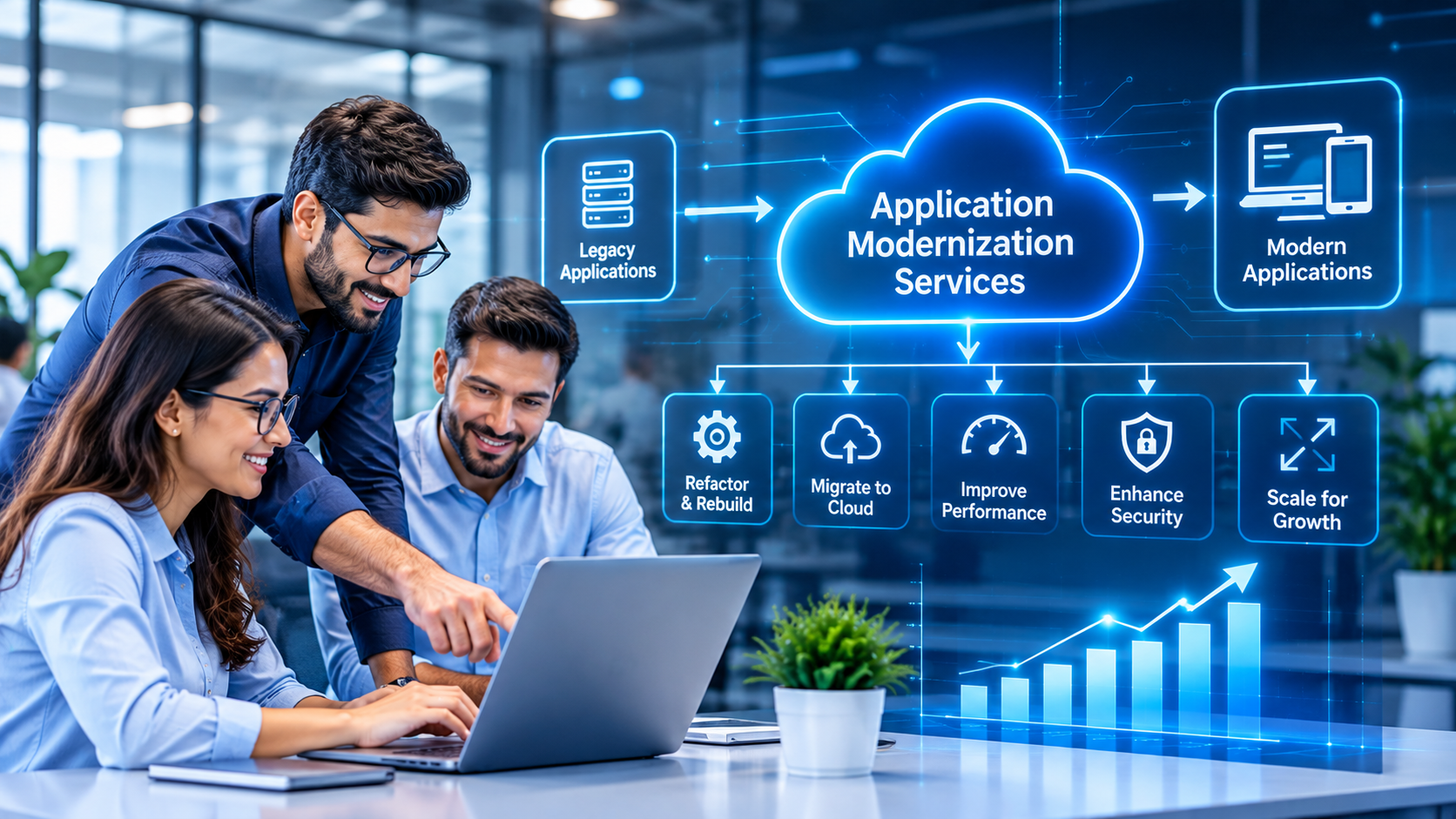
Why Businesses Need Application Modernization Services for Digital Transformation
DSSP2026-11-24T16:29:26+00:00Businesses depend on software applications to manage daily operations, serve customers, and support growth. However, many companies still use old applications that are slow, difficult to maintain, and costly to update. These problems can limit business performance. This is why application modernization services are important for companies planning digital transformation.
Modern applications help businesses improve performance, strengthen security, connect different systems, and support future growth. They also make it easier to adopt cloud computing, automation, and new digital technologies.
In this blog, we will explain what application modernization means, why businesses need it, its key benefits, and how to choose the right modernization approach.
What are application modernization services?
Application modernization services help businesses upgrade, improve, rebuild, or migrate outdated software applications to modern technologies. They improve application performance, security, scalability, and integration while helping companies support digital transformation and changing business needs.
What Are Application Modernization Services?
Application modernization is the process of improving old software applications so they can meet modern business needs.
For example, a company may use an old application to manage customer records. The application may run slowly and may not work well with other business tools. Modernization can help upgrade the software, improve its design, and connect it with newer systems.
Common modernization services include:
Application upgrades: Improving existing software and frameworks.
Legacy application modernization: Updating old applications that are difficult to maintain.
Cloud migration: Moving applications to cloud platforms.
Application reengineering: Changing application structure to improve performance.
System integration: Connecting applications with other business tools.
User interface redesign: Making applications easier to use.
These improvements help businesses build flexible and reliable software systems.
Why Do Businesses Need Application Modernization?
Business needs change over time. Older applications may not support new technologies, customer expectations, or growing workloads.
For example, a company that once served a small customer base may now need to manage thousands of users. Its old application may struggle to handle the increased demand.
Other common problems include:
Slow application performance.
High maintenance costs.
Outdated software frameworks.
Limited integration with modern tools.
Security and compatibility concerns.
Difficulty adding new features.
Poor user experience.
Modernizing applications helps businesses address these problems and create a stronger technology foundation.
7 Key Benefits of Application Modernization
1. Better Application Performance
Old applications may take too much time to load or process information. This can slow down employees and affect customer satisfaction.
Modern software uses improved technologies and better application designs.
For example, businesses can upgrade application frameworks, improve databases, and optimize software code.
This helps applications run more smoothly and handle business tasks more effectively.
2. Improved Security
Older applications may use outdated software components that no longer receive proper security updates.
Modernization provides an opportunity to improve application security through:
Updated software frameworks.
Strong access controls.
Data encryption.
Security monitoring.
Regular updates and testing.
Businesses should also follow secure development practices. Modernization can improve security, but it does not guarantee complete protection.
3. Lower Maintenance Costs
Maintaining old applications can require extra time, money, and technical support.
Modern applications can reduce some maintenance work through better architecture, updated technologies, and managed cloud services.
This helps businesses use their IT resources more effectively.
However, modernization requires an initial investment. Companies should compare project costs with expected long-term business benefits.
4. Better Customer Experience
Customers expect fast, simple, and reliable digital services.
Outdated applications can create problems such as slow websites, confusing screens, and limited mobile access.
Modern application design can provide:
Easy navigation.
Faster loading times.
Mobile-friendly experiences.
Better online services.
Smooth digital interactions.
A better application experience can help businesses build stronger customer relationships.
5. Easy Business Growth
Growing businesses need applications that can support more users, data, and transactions.
Older systems may not handle these demands easily.
Modern application architecture and suitable cloud platforms can help businesses increase resources when needed.
This makes it easier to support new customers, business locations, and services.
6. Improved Business Integration
Many businesses use separate applications for sales, finance, customer service, and operations.
When these systems cannot communicate, employees may need to enter the same information more than once.
Application integration helps different systems share information.
For example, connecting a customer management system with a sales application can help teams access customer information more easily.
This improves teamwork and reduces manual work.
7. Faster Innovation
Businesses need to respond to changing customer needs and market conditions.
Modern applications make it easier to introduce new features, improve existing services, and adopt technologies such as artificial intelligence and automation.
They also help development teams test and release updates more efficiently.
This gives businesses more flexibility to improve their digital services.
Common Application Modernization Strategies
Every application has different needs. Businesses should select a modernization strategy based on their current software, budget, and future goals.
Here are four common approaches.
1. Application Rehosting
Rehosting means moving an existing application to a new hosting environment, such as a cloud platform, with little or no code changes.
It can help businesses move away from older infrastructure without making major changes to the application.
2. Application Replatforming
Replatforming means moving an application to a better technology platform with a few changes.
For example, a business may move its application to a managed cloud database to reduce infrastructure management work.
3. Application Refactoring
Refactoring means improving the internal structure of application code without changing its main purpose.
It can make software easier to maintain, update, and improve.
4. Application Rebuilding
Rebuilding means creating a new application when the existing software is too outdated or difficult to improve.
This approach gives businesses an opportunity to use modern frameworks, updated designs, and new technology.
Which strategy is best?
It depends on the application’s condition and business goals. Some applications need small upgrades, while others may need major architectural changes. A proper assessment should come before making this decision.
Google Cloud Documentation+2
How to Modernize Legacy Applications
Modernizing old software requires proper planning. Businesses should follow a clear process to reduce risks and avoid unnecessary costs.
Review existing applications: Identify outdated software, performance problems, and technical limitations.
Set business goals: Decide whether you want better performance, stronger security, lower maintenance costs, or improved customer experience.
Check application dependencies: Understand how the application connects with databases, other systems, and business processes.
Choose a modernization strategy: Select rehosting, replatforming, refactoring, or rebuilding based on your requirements.
Plan the migration: Prepare a timeline for application changes, data transfer, testing, and deployment.
Test the modernized application: Check security, performance, compatibility, and user experience.
Monitor and improve: Track application performance and make changes when required.
Starting with one important application can help businesses learn from the process before modernizing more systems. A readiness assessment and a phased approach can also help reduce project risks.
AWS Prescriptive Guidance+1
How to Choose the Right Application Modernization Partner
Choosing a reliable technology partner is important for a successful modernization project.
Before selecting a provider, consider these points:
Technical experience: Check experience with legacy applications, cloud platforms, and modern software frameworks.
Business understanding: Choose a partner who understands your business requirements.
Security practices: Make sure security testing and data protection are included.
Flexible solutions: Look for solutions that can support future business needs.
Clear communication: Choose a team that explains project progress and technical decisions.
Ongoing support: Check whether maintenance and technical support are available after implementation.
The right partner should focus on improving your business applications, not just replacing old technology.
Businesses planning digital transformation can explore DataDotLabs digital transformation services for application modernization, cloud transformation, and connected digital solutions.
Frequently Asked Questions
1. What are application modernization services?
They help businesses upgrade, improve, rebuild, or migrate outdated applications. The goal is to improve performance, security, scalability, and maintainability.
2. Why is application modernization important?
It helps businesses overcome limitations in old software, improve customer experiences, reduce maintenance work, and support changing technology needs.
3. What are the main types of application modernization?
Common approaches include rehosting, replatforming, refactoring, rearchitecting, and rebuilding. The right choice depends on the application’s condition and business goals.
4. How long does application modernization take?
The timeline depends on application size, complexity, integrations, and the selected strategy. Small upgrades may take weeks, while large enterprise projects may take several months or longer.
5. Is application modernization necessary for small businesses?
Yes. Small businesses can modernize their applications to improve performance, security, and daily operations. They can start with the applications that create the biggest business challenges.
Conclusion
Outdated applications can make it difficult for businesses to grow, serve customers, and adopt new technologies. They can also increase maintenance work and create performance problems.
Application modernization helps businesses improve their existing software and build a stronger digital foundation.
With the right strategy, companies can upgrade legacy applications, improve security, connect business systems, and support future growth.
Businesses should start by reviewing their existing applications and identifying the improvements they need. Working with an experienced technology partner can also make the process easier.
Modern applications are not just about better software. They help businesses become more flexible, efficient, and ready for the future.









Leave a Reply