
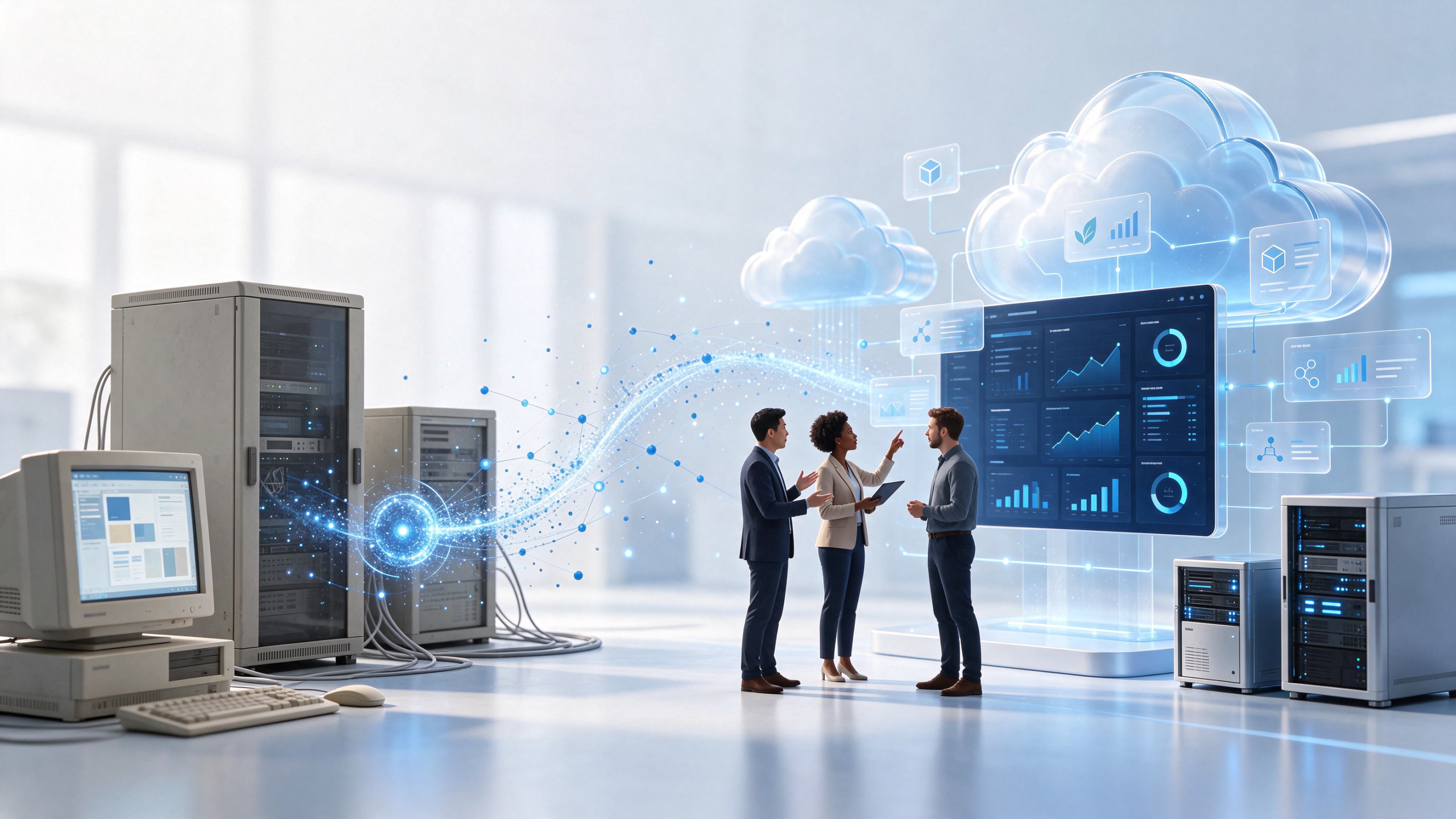
How Legacy Application Modernization Helps Businesses Improve Performance
DSSP2026-11-24T17:04:43+00:00Introduction
Many businesses still depend on old software to manage daily operations. These applications may have supported the company for years. However, as business needs change, older systems can become slow, difficult to maintain, and expensive to operate.
They may also struggle to connect with modern tools, support more users, or protect important business data. These problems can affect employee productivity and customer satisfaction.
This is where legacy application modernization becomes important. It helps businesses improve old applications by updating their technology, architecture, infrastructure, and features. The goal is to make software faster, more secure, easier to manage, and ready for future growth.
With the right modernization strategy, businesses can improve application performance without replacing every system at once. In this article, we explain how modernization works, its key benefits, and the steps businesses can follow to get better results.
What Is Legacy Application Modernization?
Legacy application modernization is the process of improving old software so it can meet current business and technology needs.
It may involve updating outdated programming languages, improving application architecture, moving systems to the cloud, upgrading databases, or connecting applications through APIs.
For example, a company may use an old application that takes several minutes to process customer orders. By improving its database, updating its architecture, and optimizing its code, the company may reduce processing delays and improve the user experience.
Modernization does not always mean building a completely new application. Businesses can choose an approach based on their budget, technical needs, and long-term goals.
Why Do Businesses Need Legacy Application Modernization?
Older applications can create problems that affect business performance. Some systems use outdated technology that is difficult to support. Others cannot handle growing workloads or connect easily with newer platforms.
Common challenges include:
Slow application performance: Older systems may take longer to load pages, process data, or complete business tasks.
High maintenance costs: Finding specialists and maintaining outdated technology can require extra time and money.
Security risks: Unsupported software and outdated components may create security and compliance concerns.
Integration problems: Older applications may not connect easily with modern CRM, ERP, cloud, and analytics platforms.
Limited scalability: Systems with outdated architecture may struggle when user numbers or data volumes increase.
Poor user experience: Complicated interfaces and slow workflows can reduce employee productivity.
Modernization helps businesses address these challenges and create a stronger technology foundation.
7 Ways Legacy Application Modernization Helps Improve Business Performance
1. Improves Application Speed and Performance
Application speed affects how employees and customers interact with business software. Slow systems can delay everyday tasks and reduce productivity.
Modernization helps identify performance problems in application code, databases, infrastructure, and system architecture.
Businesses can improve performance through:
Optimizing application code.
Updating database structures and queries.
Removing unnecessary processes.
Improving server and infrastructure capacity.
Using modern application architecture.
These improvements can help applications respond faster and process workloads more efficiently. Actual results depend on the application’s existing condition and the modernization approach.
2. Reduces Application Maintenance Costs
Legacy applications can become expensive to maintain. Older technologies may require specialized developers, manual updates, and complex troubleshooting.
Modernization can reduce these challenges by simplifying application architecture and using supported technologies.
For example, moving suitable workloads to managed cloud services can reduce some infrastructure management tasks. Automating testing and deployment can also reduce repetitive work.
Businesses should compare modernization costs with ongoing maintenance costs before selecting a strategy.
3. Strengthens Application Security
Security is a major concern for businesses that depend on older software. Unsupported operating systems, outdated libraries, and weak access controls can increase risk.
Legacy application modernization gives businesses an opportunity to:
Upgrade outdated software components.
Apply security patches and updates.
Improve authentication and access controls.
Protect sensitive information through encryption.
Add security testing to development processes.
Improve monitoring and incident response.
Modernization does not automatically make an application secure. Businesses must include security requirements throughout planning, development, testing, and maintenance.
4. Supports Better Scalability
Business growth often increases application workloads. More customers, employees, transactions, and data can place pressure on older systems.
Modern application architecture can help businesses respond to changing demand. Depending on the application, options may include cloud infrastructure, containers, modular services, and automated resource management.
This allows businesses to plan for future growth without depending entirely on outdated infrastructure.
5. Makes Integration Easier
Businesses use different software platforms to manage customers, finances, operations, inventory, and communication.
When older applications cannot connect with these tools, employees may need to enter the same information in multiple systems.
Modernization can improve integration through APIs, updated data formats, and better system architecture. This helps applications exchange information more effectively and supports smoother business workflows.
6. Improves Employee and Customer Experience
Outdated software can make simple tasks difficult. Employees may spend extra time navigating complicated screens or waiting for processes to finish.
Modernization can improve the experience through:
Simple and responsive interfaces.
Faster page loading and processing.
Easier navigation.
Mobile-friendly access where required.
Automated routine tasks.
Better connections between business systems.
A more usable application helps employees complete tasks efficiently and gives customers a smoother digital experience.
7. Supports Digital Transformation
Digital transformation requires technology that can support changing business goals. Older applications may limit the adoption of cloud platforms, automation, analytics, and new digital services.
Modernization helps businesses create a technology environment that is easier to improve over time.
For example, a modernized application may connect with cloud services, automated workflows, and data analytics tools. These capabilities can help businesses make better decisions and respond to customer needs.
Learn more about digital transformation services and how technology modernization can support business growth.
Common Strategies for Modernizing Legacy Applications
There is no single modernization approach for every application. Businesses should select a strategy based on application complexity, business value, risk, and available resources.
Common approaches include:
Rehosting: Moving an application to new infrastructure, often in the cloud, with minimal code changes.
Replatforming: Moving an application to a new platform while making selected improvements.
Refactoring: Changing parts of the application code to improve its structure, maintainability, or performance.
Rearchitecting: Redesigning the application’s architecture to support capabilities such as scalability and cloud-native services.
Rebuilding: Developing a new application when the existing system no longer meets business requirements.
Replacing: Moving to a suitable commercial or SaaS product instead of maintaining the old application.
The right choice depends on the application and the desired business outcome. AWS and Microsoft provide guidance on assessing applications and selecting suitable modernization strategies.
AWS Prescriptive Guidance+2
Steps to Start a Successful Legacy Application Modernization Project
A planned approach can help reduce disruption and improve project outcomes.
Step 1: Assess Existing Applications
Review the application architecture, code, databases, infrastructure, security, and performance. Identify the biggest problems and business risks.
Step 2: Define Business Goals
Decide what the modernization project should achieve. Goals may include faster processing, lower maintenance costs, better security, or improved scalability.
Step 3: Select the Right Strategy
Choose whether to rehost, replatform, refactor, rearchitect, rebuild, or replace the application. Avoid making changes without a clear business reason.
Step 4: Create a Modernization Roadmap
Divide the project into manageable stages. Identify important dependencies, resources, timelines, and risks.
Step 5: Test Before Deployment
Test application performance, security, integrations, data accuracy, and user experience. Use a pilot or phased rollout when appropriate.
Step 6: Monitor and Improve
After deployment, monitor application performance and user feedback. Continue updating the system as business needs change.
Microsoft also recommends treating modernization as an ongoing lifecycle involving assessment, planning, execution, and maintenance.
Microsoft Learn+1
How DataDotLabs Can Support Application Modernization
Businesses need a clear plan when updating applications that support important operations. The right technology partner can help assess existing systems, identify improvement opportunities, and select a suitable modernization approach.
DataDotLabs provides digital transformation capabilities that include application modernization, cloud transformation, integration, and workflow digitization. Its application modernization offering covers reengineering legacy systems into cloud-ready, modular applications.
Datadotlabs+1
Businesses can also explore DataDotLabs software application development services for support with application development, upgrades, maintenance, and legacy system modernization.
A well-planned modernization project can help organizations improve existing software while building a stronger foundation for future digital initiatives.
Frequently Asked Questions (FAQs)
1. What is legacy application modernization?
Legacy application modernization is the process of improving outdated software by updating its code, architecture, infrastructure, security, or integrations. It helps applications meet current business and technology requirements.
2. How does legacy application modernization improve performance?
It can improve performance by optimizing code, upgrading databases, improving infrastructure, and redesigning application components. These changes can help reduce delays and support more efficient processing.
3. Is legacy application modernization better than replacing an application?
It depends on the application’s condition and business value. Modernization may be suitable when the existing application still supports important processes. Replacement may be better when the system is too costly or difficult to maintain.
4. Can legacy applications be modernized without disrupting business operations?
Yes. Businesses can use phased modernization, pilot testing, parallel operations, and planned deployments to reduce disruption. The right approach depends on application complexity and business requirements.
5. How long does legacy application modernization take?
The timeline depends on application size, complexity, integrations, data requirements, and the selected strategy. A small update may take less time than a major rearchitecture or complete rebuild. A technical assessment helps establish a realistic timeline.
Conclusion
Legacy applications can affect business performance when they become slow, costly, difficult to maintain, or hard to integrate. Continuing to depend on outdated technology may also limit future business opportunities.
Legacy application modernization helps businesses improve application speed, reduce maintenance challenges, strengthen security, support scalability, and create better user experiences.
The best approach starts with understanding the existing system and defining clear business goals. Businesses should then select a suitable modernization strategy, test changes carefully, and continue monitoring performance after deployment.
With the right roadmap and technology partner, organizations can turn outdated applications into more reliable and adaptable business tools.






Leave a Reply